What is Editto? All You Need to Know About the Next-Generation AI Video Editor
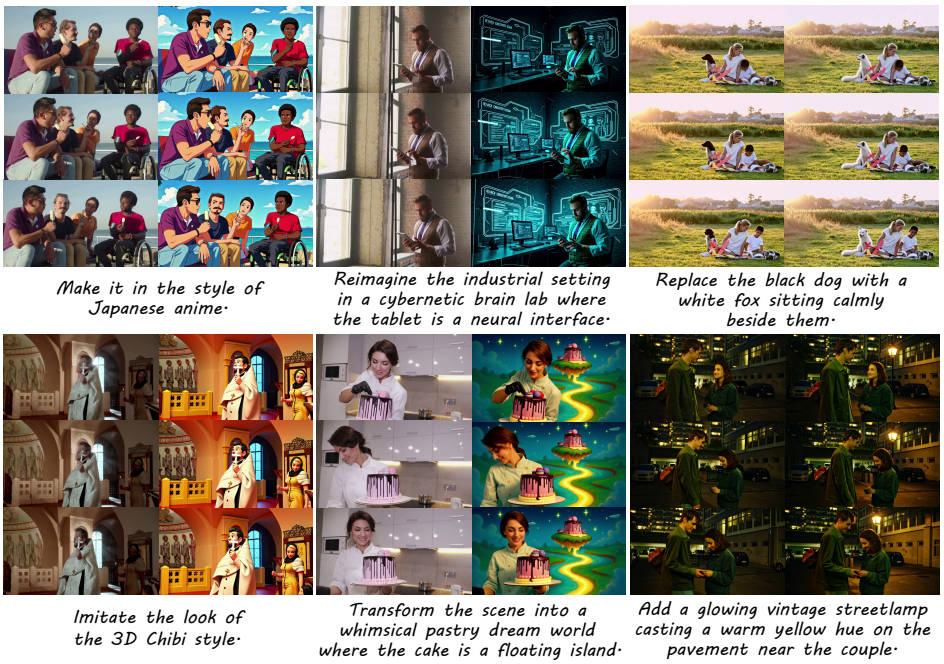
Editto is an instruction-based AI video editing tool built on the Ditto open architecture. It enables users to edit videos using natural-language text prompts instead of traditional timeline controls or manual keyframing.
With Editto, users can type commands like:
Make this scene look cinematic with warm lighting.
Replace the dog with a white cat.
Add cyberpunk neon fog to the background.
Powered by the Ditto-1M synthetic dataset, containing nearly one million aligned training samples (source video + instruction + edited output), Editto makes advanced AI video editing accessible to everyone, including non-professionals.
Core Features of Editto
Editto offers two major editing modes: Global Editing and Local Editing, covering high-level style adjustments to precise object-level control.
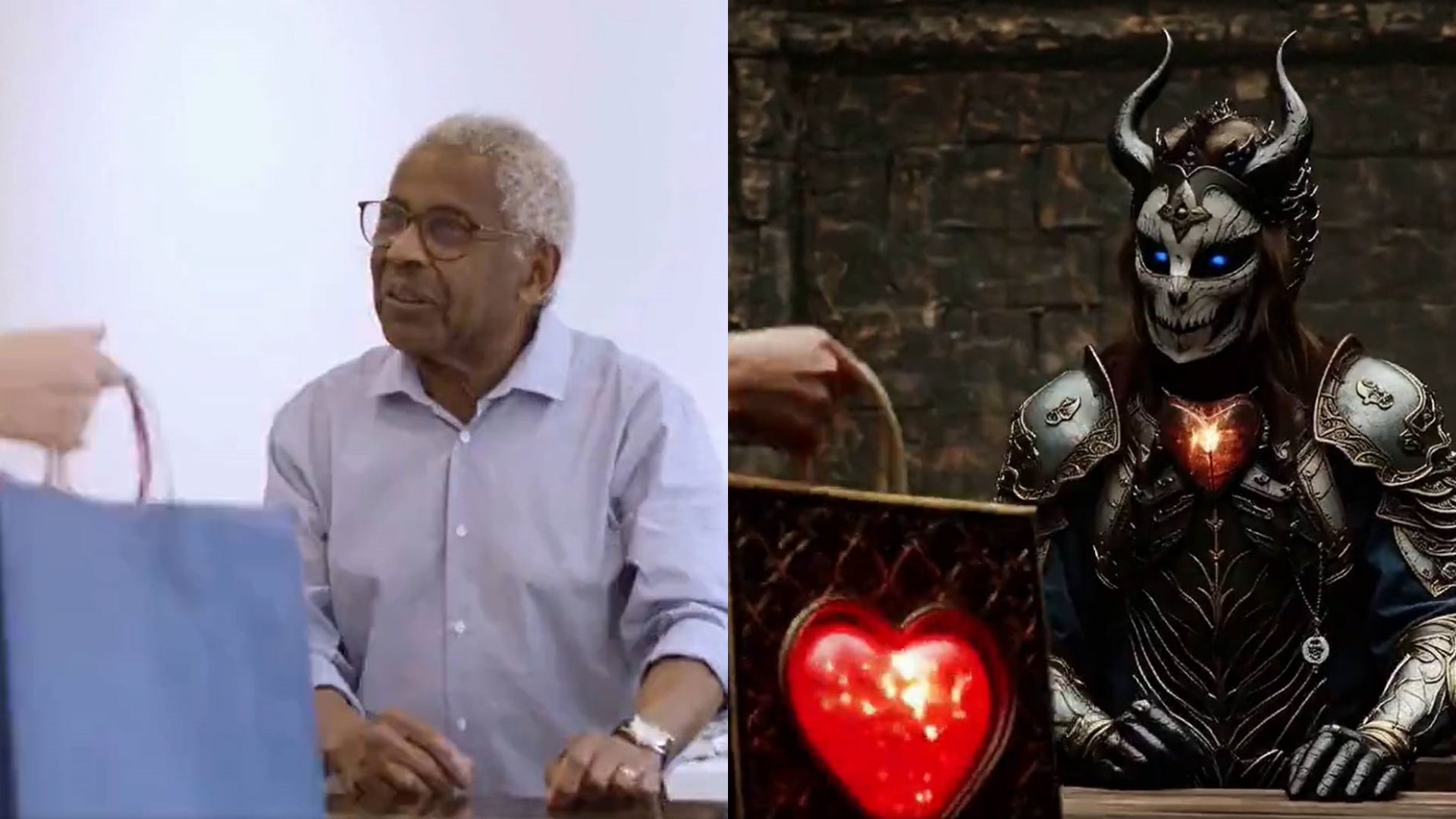
Global Editing Features (Full-Video AI Editing)
Style Transfer: Apply artistic styles like anime, watercolor, cyberpunk and so on.
Atmosphere Adjustment: Add sunset lighting, fog, neon reflections, rain effects, or dust particles to change the mood.
Video Enhancement & Denoising: Improve video clarity, stabilize motion, and remove graininess while preserving detail.
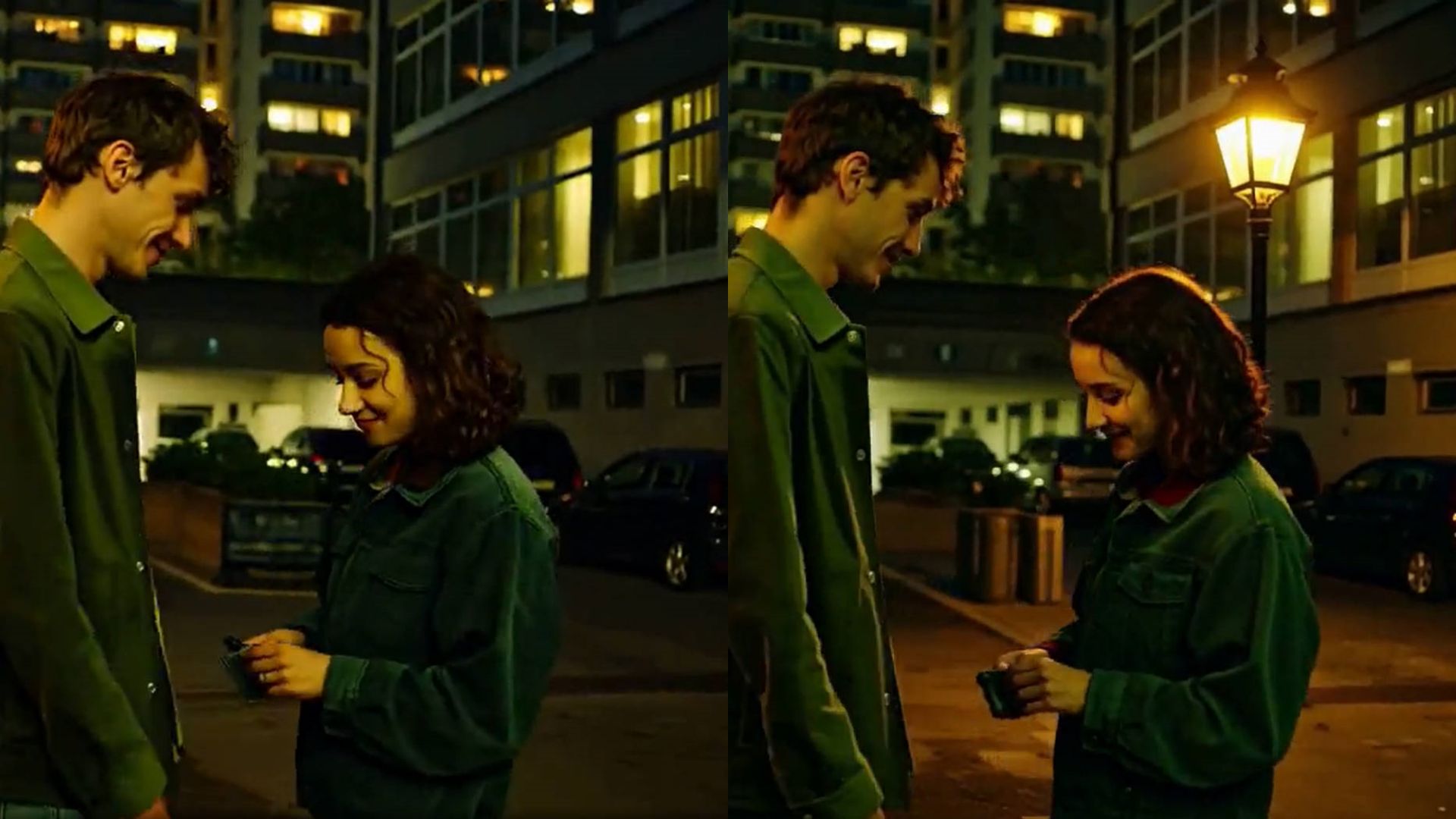
Local Editing Features (Object-Level AI Editing)
Selective Enhancement: Improve brightness, sharpness, color, or texture in specific areas.
Object Replacement: Swap items or characters (e.g., replace a car with a motorcycle).
Attribute Editing: Change color, texture, material or shape (e.g., turn a green jacket into leather).
Element Addition & Object Removal: Add props (lamps, trees, signs) or remove unwanted objects (people, logos, trash cans).
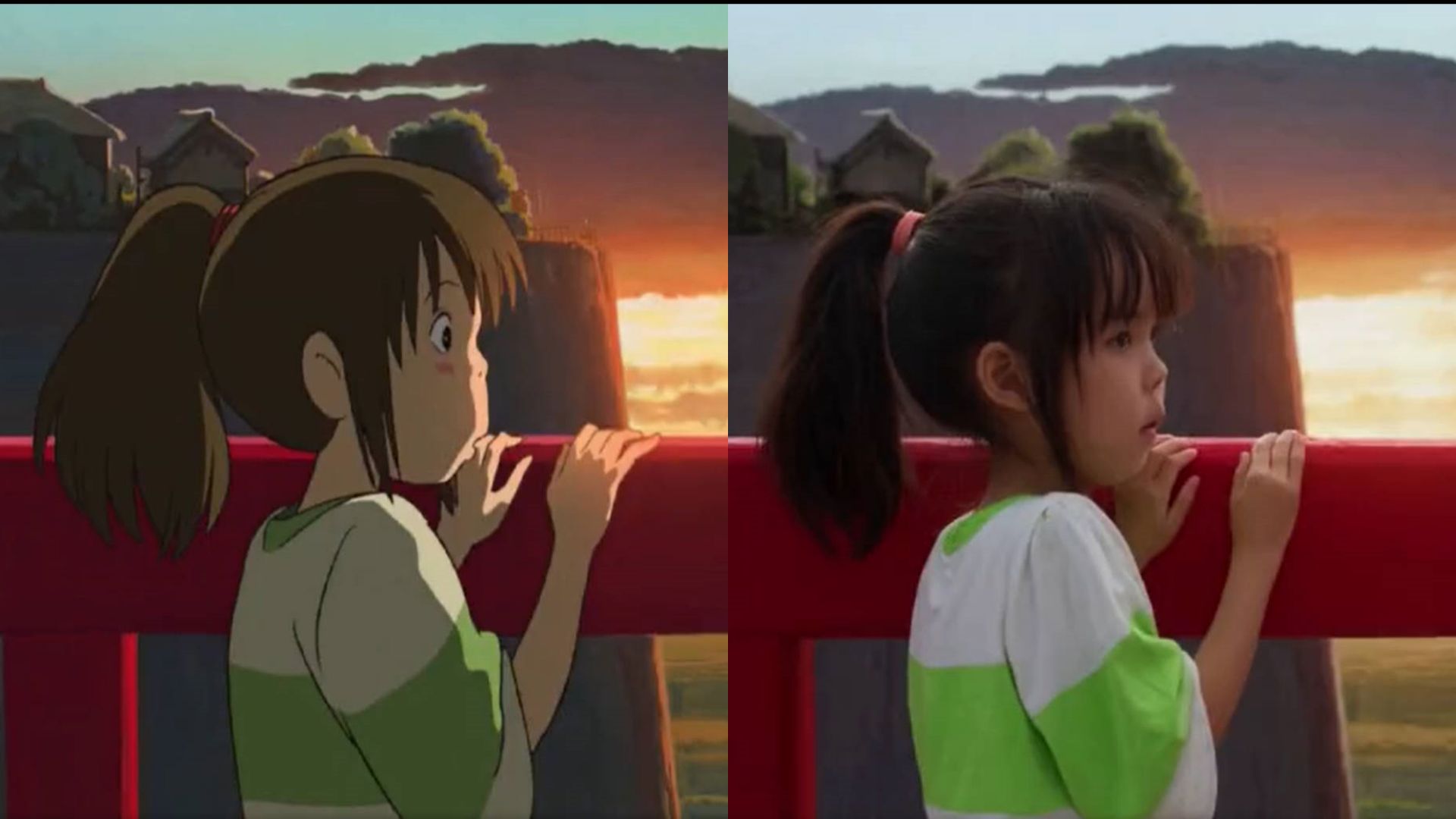
Synthetic-to-Real Stylization (Sim2Real Technology)
One of Editto’s most powerful capabilities is its Sim2Real stylization pipeline, which turns synthetic or stylized AI-generated elements into photorealistic visuals.
It maintains:
Accurate physics-based shadows and lighting
Consistent material appearance
Motion continuity across frames
Natural depth, texture, and film-grade detail
The result is a stylized yet believable, production-ready video, comparable to high-end VFX workflows, but controlled entirely by a text prompt instead of manual compositing.
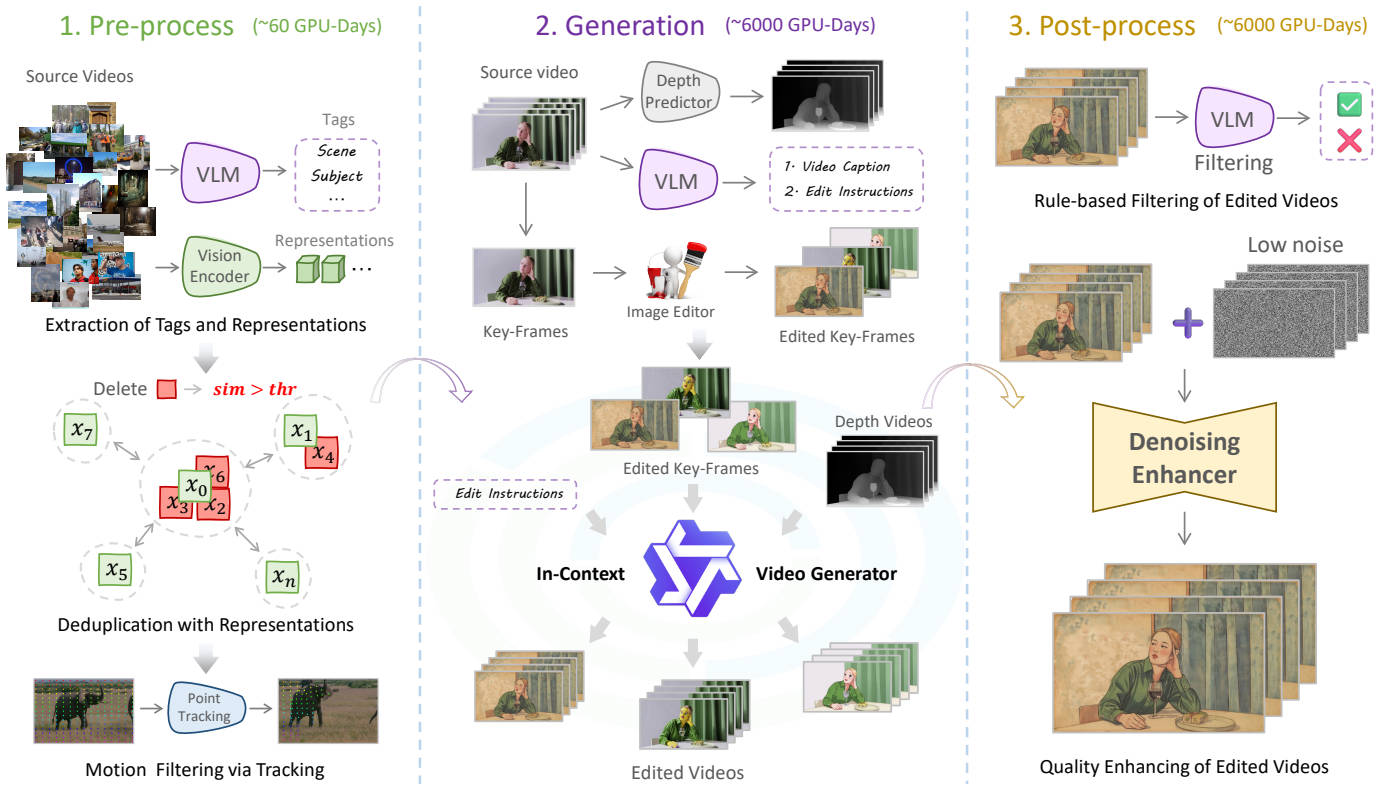
Technical Highlights of Editto
Open Architecture (Ditto Framework)
Ensures frame-to-frame temporal consistency and stable editing behavior.
Synthetic Dataset (Ditto-1M)
Uses procedural image editing + temporal generation systems to create scalable training data.
Automated Instruction Generation & Filtering
Large multimodal models refine prompts for accuracy and reliability.
Model Distillation + Temporal Enhancer
Reduces computational cost while preserving realism.
Curriculum Learning Strategy
Trains the model progressively, starting from visual grounding to fully text-driven editing.
How to Use Editto (Step-by-Step Guide)
1. Upload Your Video
Select or drag your source video into the editor.
2. Enter a Text Prompt (Instruction)
Examples:
Convert to cyberpunk style.
Remove the trash can.
Replace the background with a beach sunset.
3. Configure Output Settings
Choose video size (480p or 720p) and aspect ratio (16:9, 9:16, 1:1, Auto).
4. Preview and Export
Generate results. Download or share to TikTok, YouTube, Instagram, or social platforms.
Popular Use Cases of Editto
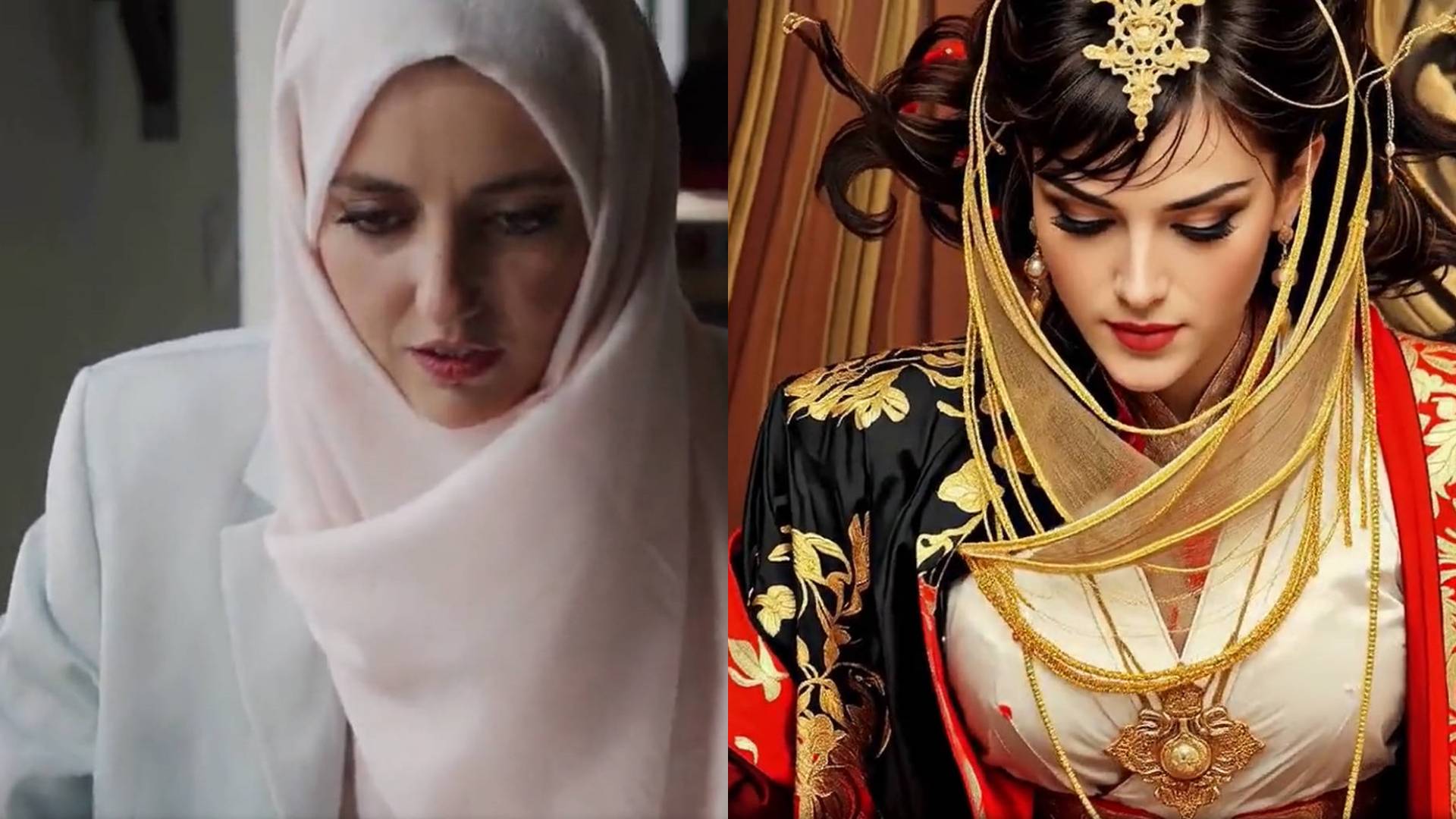
Character Replacement
Swap actors or dancers with superheroes, historical figures, anime characters, or avatars while preserving motion and expressions.
Example Prompt:
Transform her into a regal woman wearing ornate traditional attire with gold embroidery, flowing red and white fabrics, and elaborate jewelry, in a highly detailed photorealistic style.
Video Style Conversion
Turn real footage into Disney-style animation, Studio Ghibli visuals, watercolor paintings, cyberpunk scenes, or convert animation into realistic film textures.
Example Prompt:
Make it a Japanese anime style

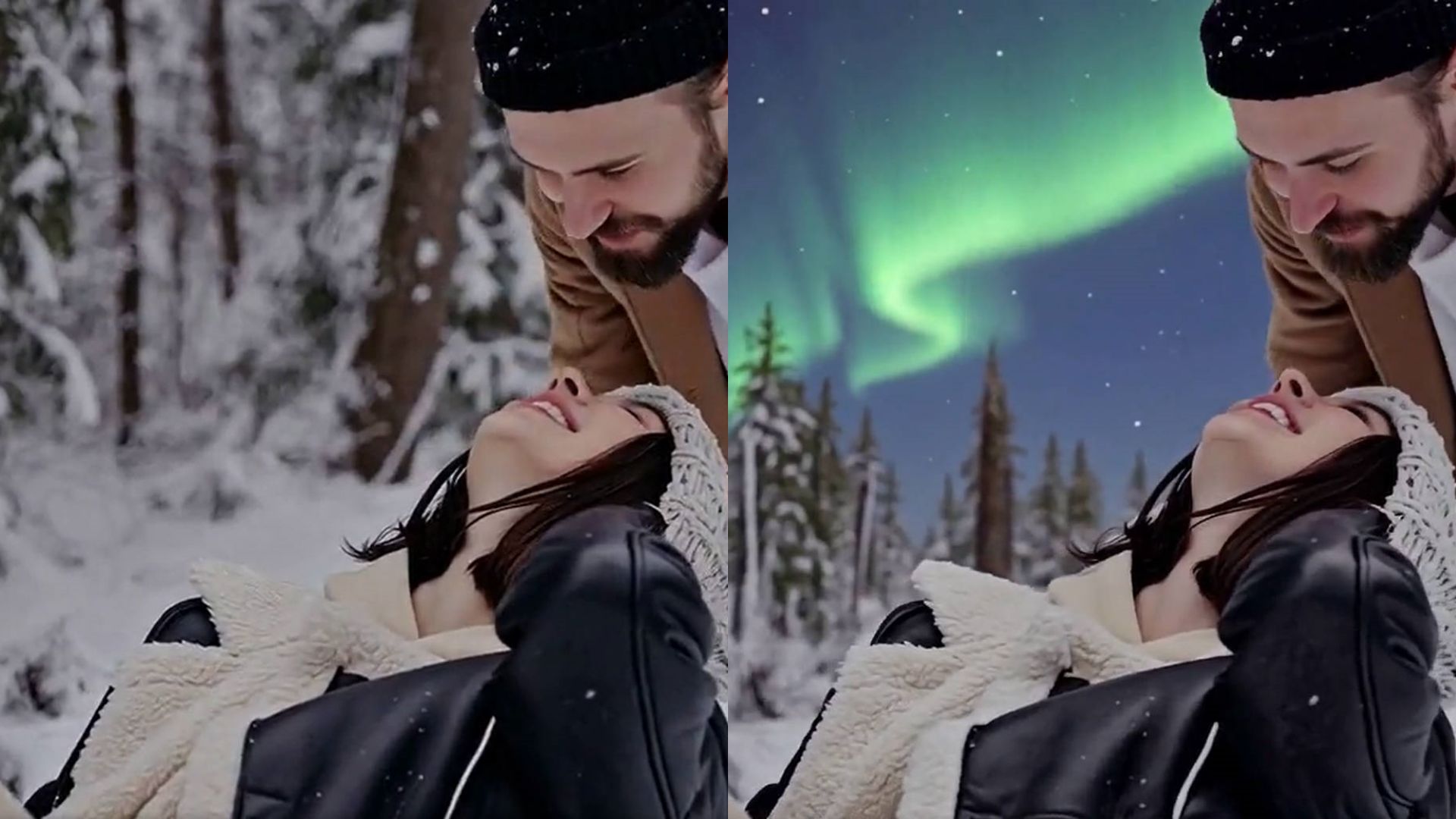
Background Replacement
Transform environments: convert a living room into a forest, rooftop skyline, snowy mountain, or futuristic neon-city scene.
Example Prompt:
Add a soft, aurora-like glow in the sky above the trees.
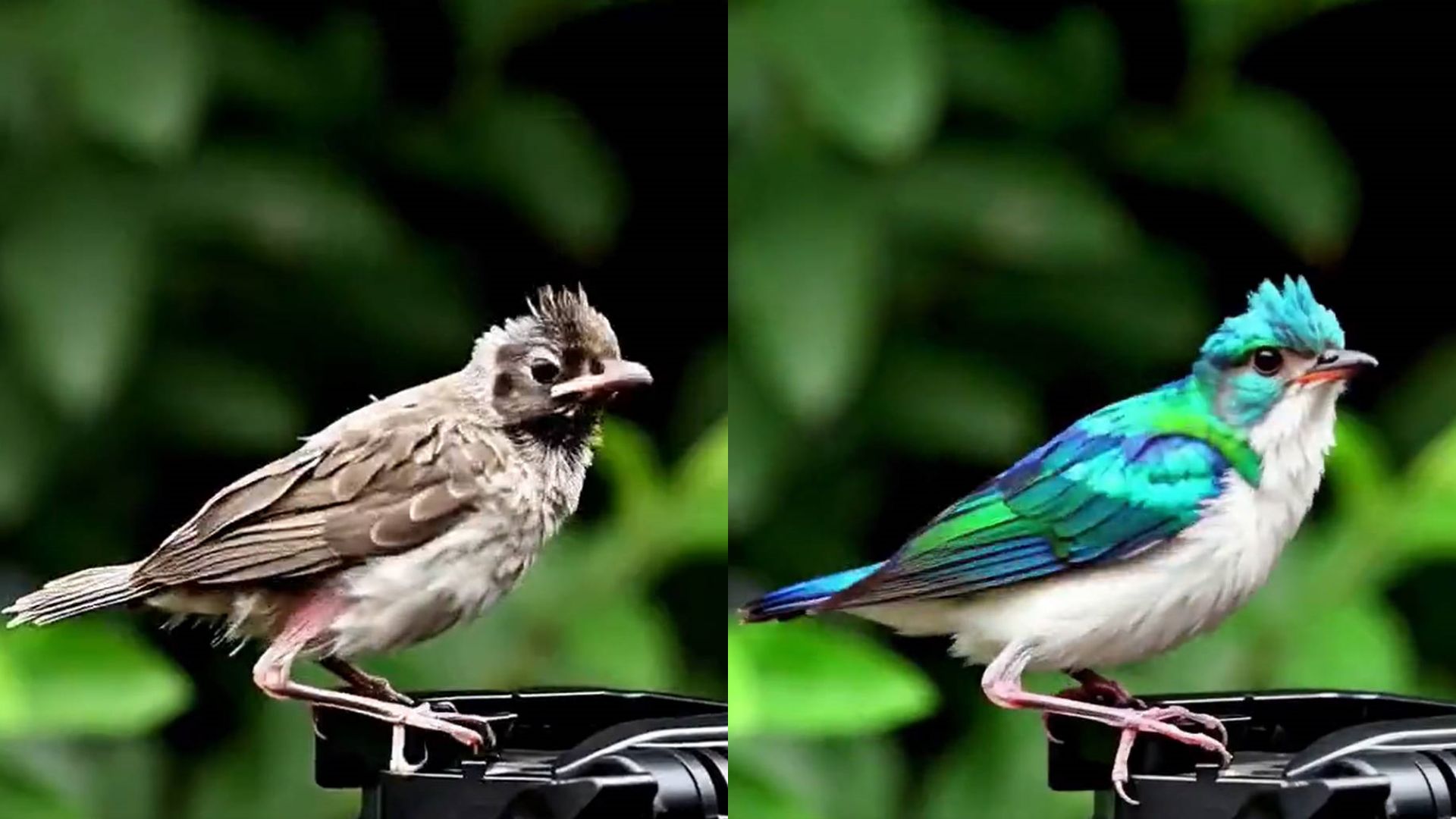
Object Change
Change outfits, textures, accessories, or materials while preserving natural motion and physics.
Example Prompt:
Turn the bird’s brown feathers into shiny blue and green ones, and make its belly white.
Who Can Benefit from Editto
Content creators & vloggers: Edit videos with text, no editing skills required.
Marketing & ad teams: Prototype ideas quickly with lighting & environment changes.
Film & post-production: Replace objects or improve shots without reshooting.
Education & training creators: Generate historical or illustrative videos easily.
Game & virtual production: Create stylized video assets for pre-visualization.
Why Editto Matters
Makes AI-powered video editing accessible for everyone
Reduces time and production costs dramatically
Accelerates creative workflows once limited to experts
Supports Sim2Real generalization for real-world video editing
Unlocks creative freedom and rapid experimentation
Curious how Editto can transform your footage?
Explore real AI editing examples 🎞, AI editing prompts, and tutorials. Start creating your first AI-powered video 🔗 with just one sentence.
Your imagination is now your editing tool.
Reference:
Scaling Instruction-Based Video Editing with a High-Quality Synthetic Dataset